Subscribe Plan
Let’s learn how to subscribe to a Plan and unlock features to submit e-invoices
Step 1: On your Workspace’s home page, click See plans

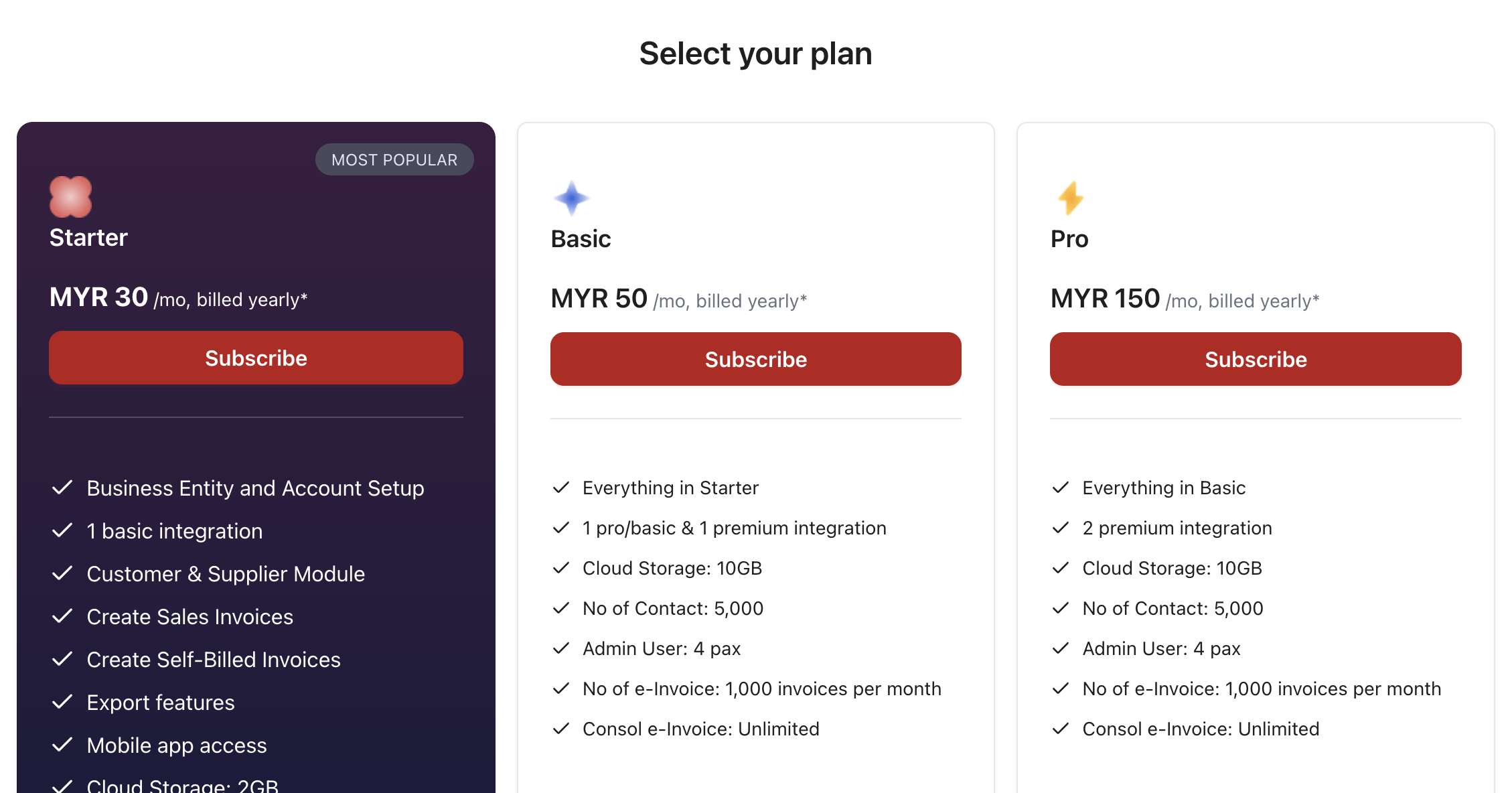
Step 2: Select your preferred plan by clicking Subscribe
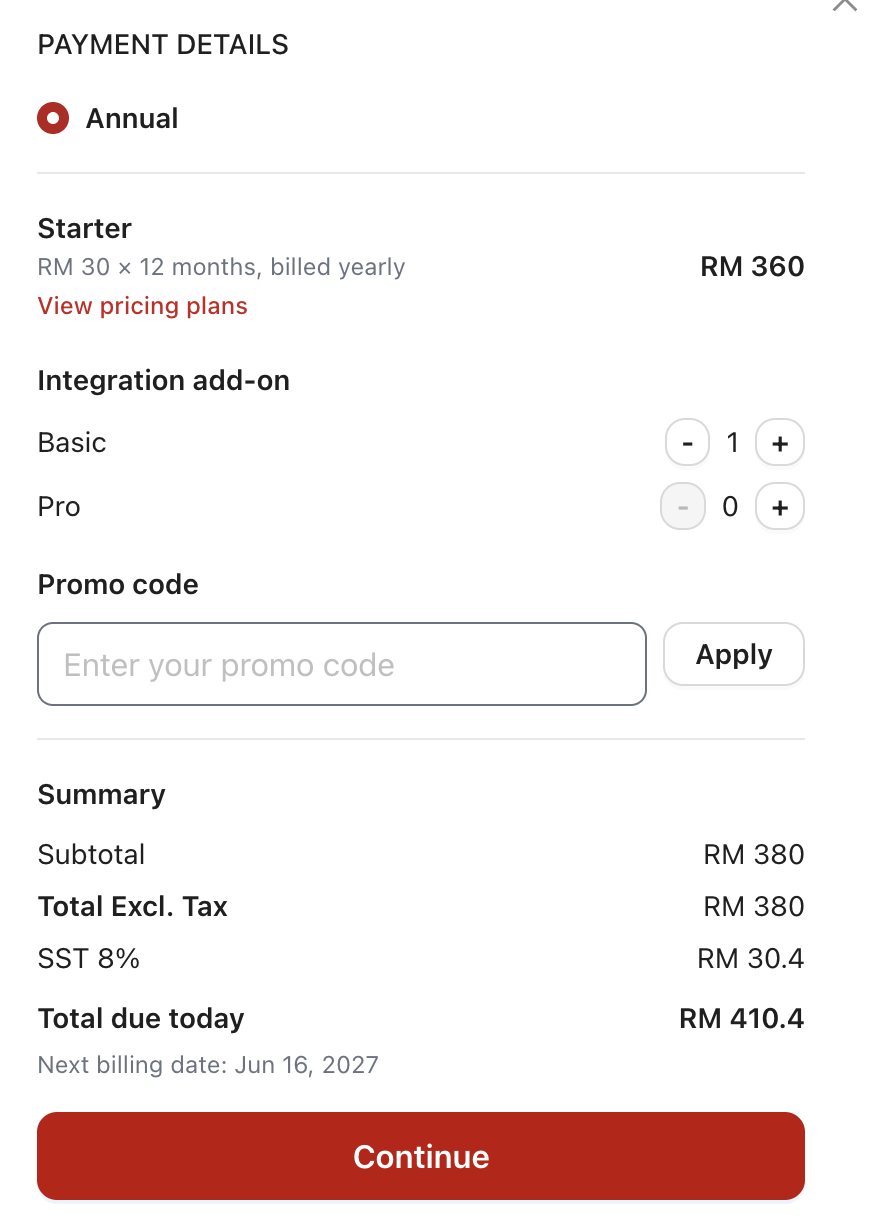
Step 3: This is an optional step. If you have a promo code, enter the code and click Apply
Step 4: Click Continue to proceed with payment
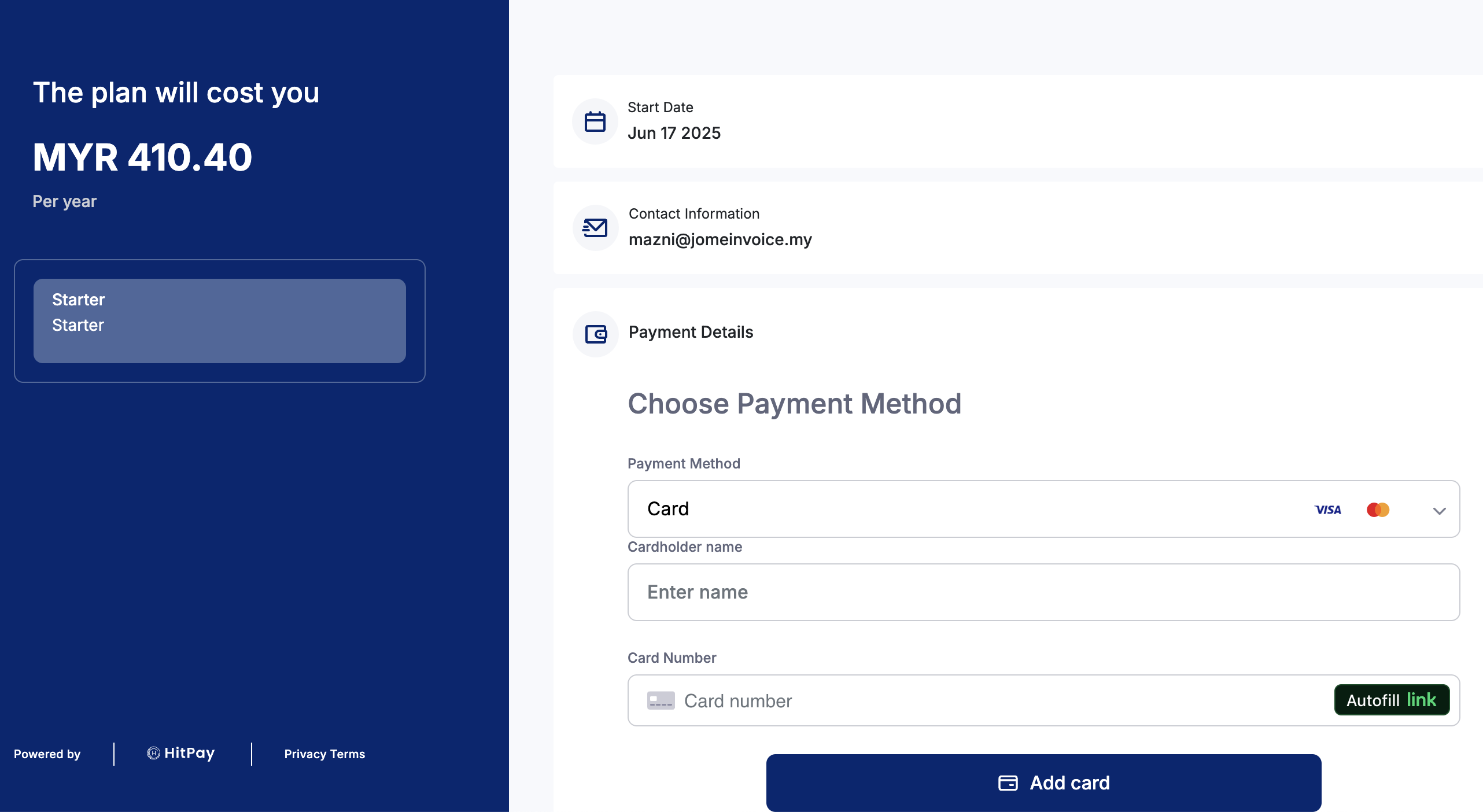
Step 5: Enter your payment method details and click Add card to complete payment
Step 6: After successful payment, your workspace logo is updated to your selected plan name


