7. How your customer can request e-Invoice
Learn how your customer can request for e-invoice.
There are 3 options:
1. Via QR standee at your business premises
2. Share Profile link to your customer
3. QR printed on the receipt
Step 1: Enable e-invoice in Jomeinvoice
Please refer to the guideline
Steps to enable e-invoice featuresStep 2: Navigate to Loyverse
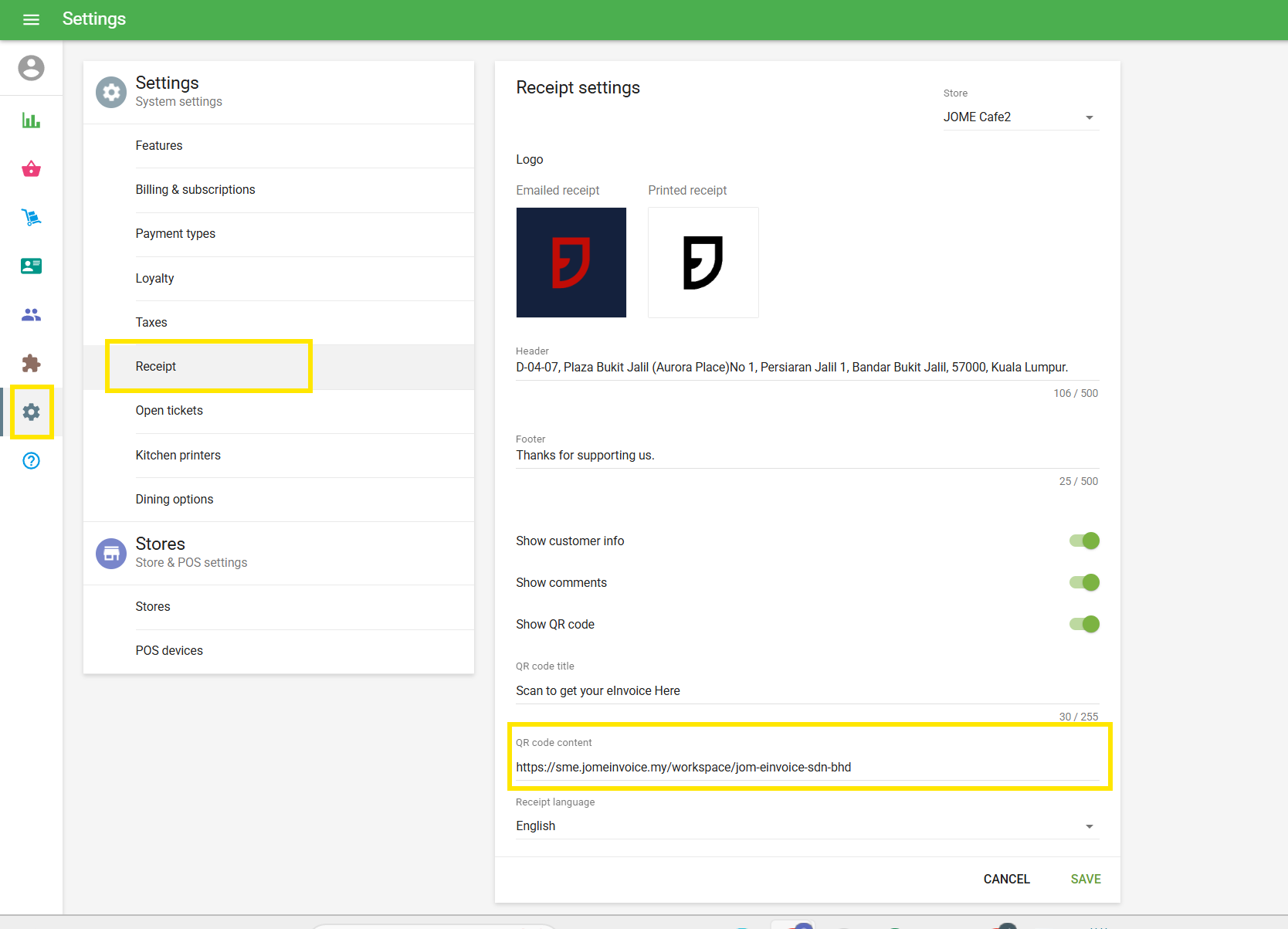
Go to Settings > Receipt > and add your Jome workspace URL in the QR code content > then click save
A QR code will be displayed on the printed receipt ⬇️
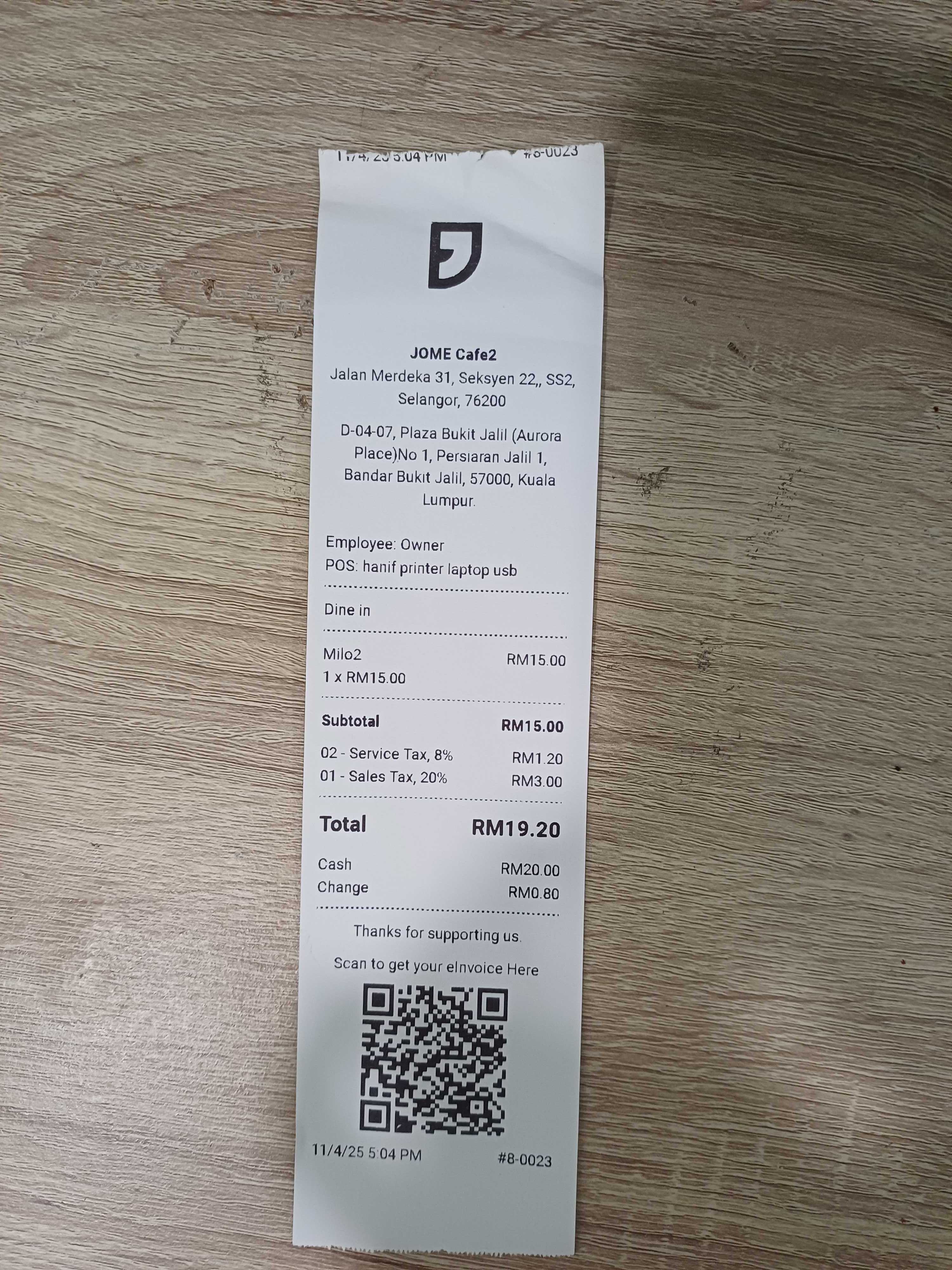
Alternatively after every purchase, you can share your customer a QR code to Request e-Invoice

When your customer scan the QR code, it will direct your customer to Jom e-Invoice request e-Invoice page.

Learn what happens behind the scenes after your customer requests an e-Invoice ⬇️