1. How to connect Shopify
Step 1: Account Setup
-
Before connecting Salesplay, make sure you have a Jom eInvoice Workspace:
- Open https://sme.jomeinvoice.my, register or login your JomeInvoice account with Basic plan or higher
Step 2 : Locate the Integration
Go to Integrations menu, Browse Integration tab, and activate Shopify integration

Then, go to Active tab, click View Details on Shopify integration. Click Connect button, then will be redirected to install JomeInvoice Shopify App.

If you don't login your Shopify account first, you need to login first, then will continue. Click Install to install JomeInvoice Shopify App.
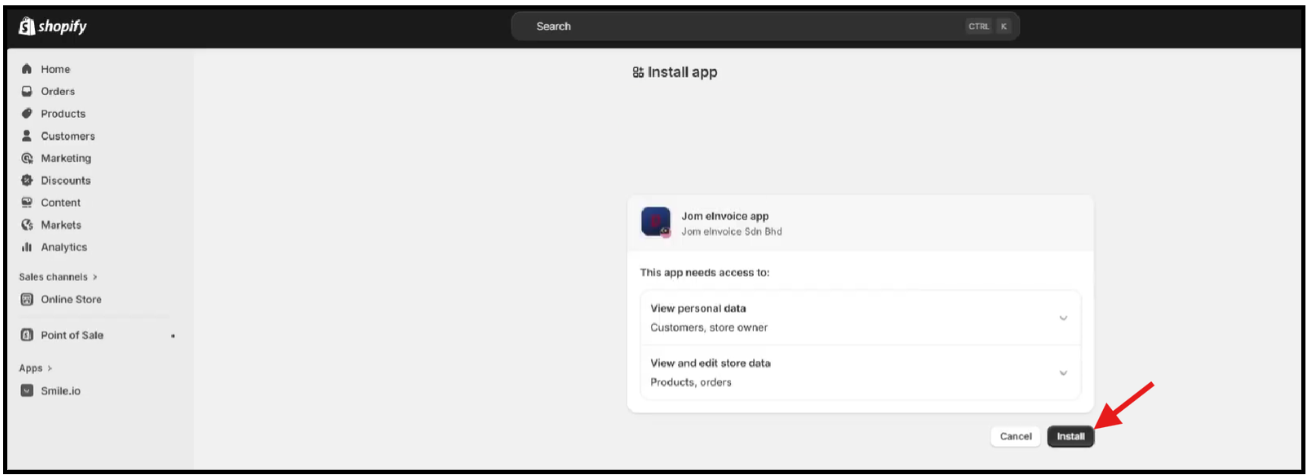
Step 3: Workspace Mapping
After install, will redirected back to JomeInvoice to select which Workspace to connect the Shopify account.
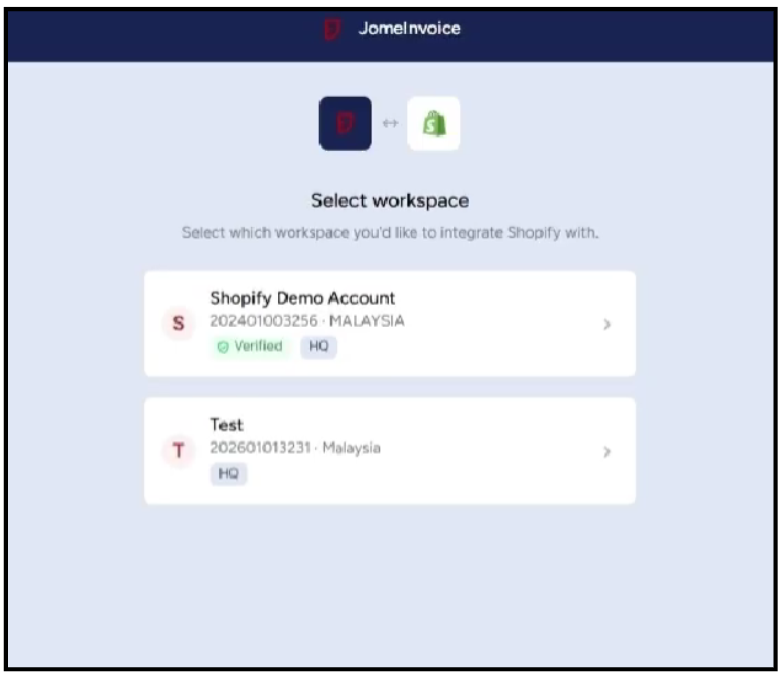
Select your workspace then you will be redirected to Integrations menu, to see if your Shopify Integration is Connected.
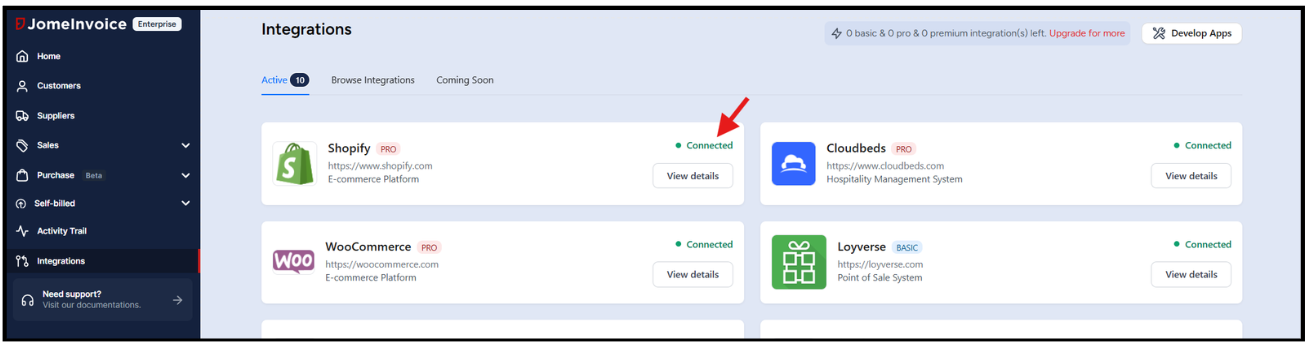
If the Shopify integration showing connected, then its done. If not, try again from step #2.

